playwright自动化被检测的方法


最近又写了几个脚本,用playwright确实方便多了,不过在弄某个网站的时候一直弹验证码,这明显是被检测到了。在网上查了下,下面这个小方法确实好用
测试网站
有个专门测试机器人和自动化的网站,网址:
https://bot.sannysoft.com/
用浏览器打开这个网站,上面列出了常用的一些检测属性,如果是正常的就绿色,有检测到异常就是红色。下图是直接打开浏览器这个网站显示的一些特性: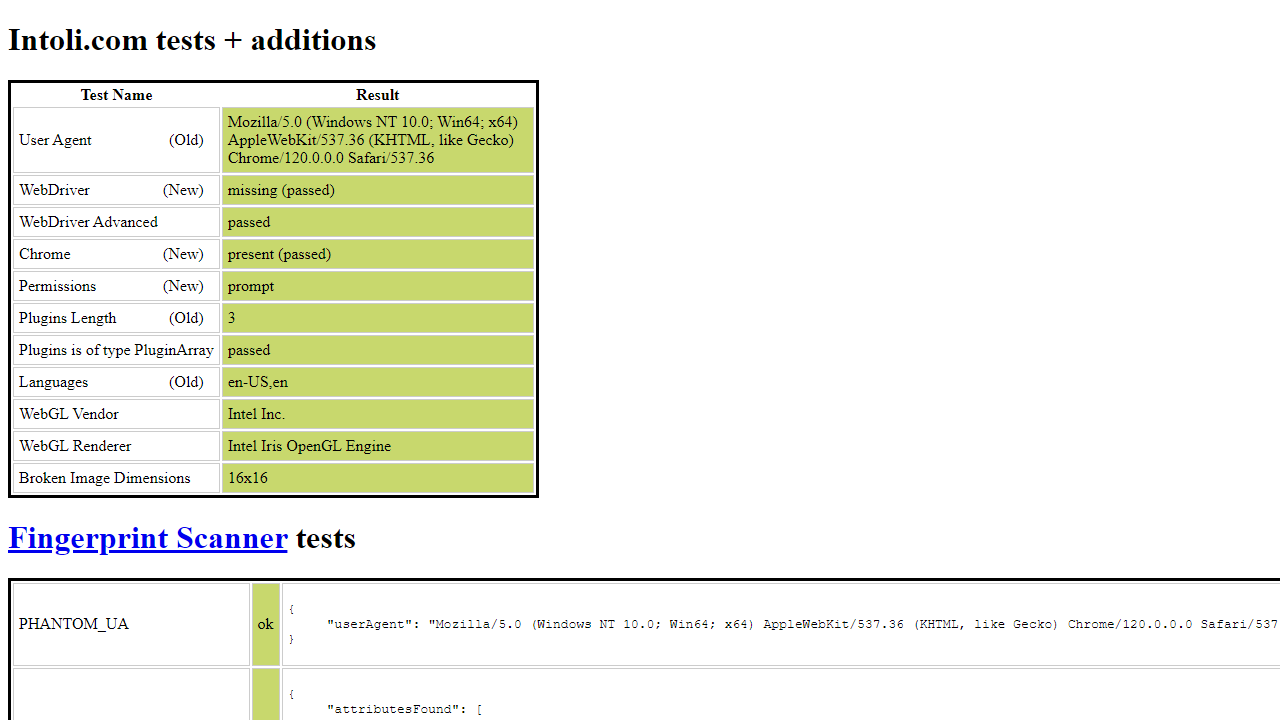
playwright打开网站
下面是一个简单的使用playwright(有头模式)打开这个检测网站的代码:
1 | from playwright.sync_api import sync_playwright |
截图发现检测结果1.png: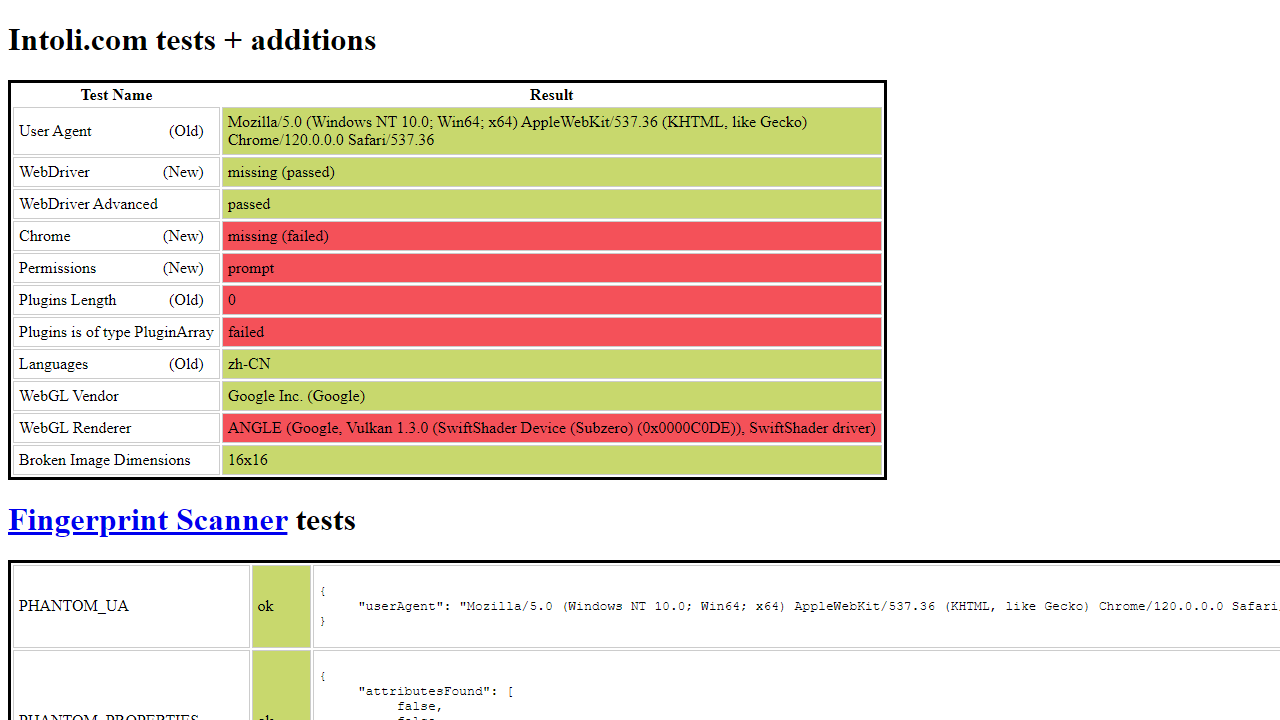
使用stealth.min.js过检测
stealth.min.js是puppeteer中用于抹去自动化程序特征的,当单独提取出来时就可以抹掉自动化特征,包括selenium、playwright等自动化框架stealth.min.js网址:
- github: https://github.com/requireCool/stealth.min.js
- jsdelivr: https://cdn.jsdelivr.net/gh/requireCool/stealth.min.js/stealth.min.js
下载保存,命名为:
stealth.min.js
1 | # ... |
检测结果为全绿,和正常打开浏览器一样
无头模式检测
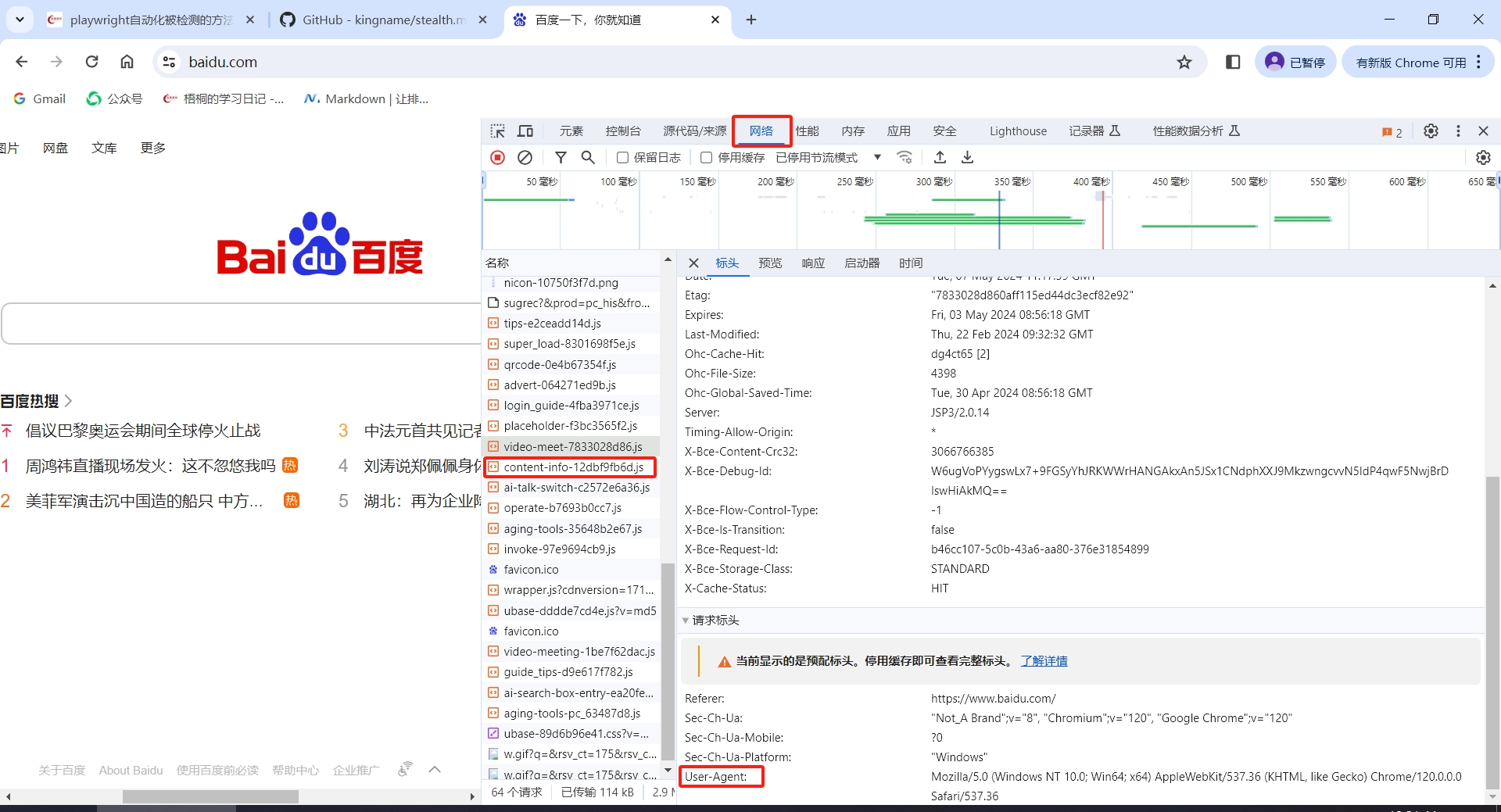
当使用无头模式的时候,https://bot.sannysoft.com还是会检测到UserAgent有问题,添加个正常浏览器的UserAagent即可UserAagent可以在浏览器中找到:
- 打开浏览器,按下F12,点开网络/Network
- 打开一个网站,比如百度
- 在网络中随意找到一个请求,在标头中往下翻就能找到userAgent

下面是添加userAagent到playwright的代码:1
2
3
4
5
6# ...
browser = p.chromium.launch(headless=True,
args=['--disable-blink-features=AutomationControlled',
'--user-agent=Mozilla/5.0 (Windows NT 10.0; Win64; x64) AppleWebKit/537.36 (KHTML, like Gecko) Chrome/120.0.0.0 Safari/537.36']
)
# ...
添加后检测结果为全绿,和正常打开浏览器一样
如果有某些浏览器还是过不了检测,建议从其他地方着手,使之更像人的动作
本博客所有文章除特别声明外,均采用 CC BY-NC-SA 4.0 许可协议。转载请注明来自 梧桐的学习日记!



公告
欢 迎 访 问 a c w y 的 学 习 日 记

微信:acwy0718
邮箱:awy0718@gmail.com